- Business Cards
- Hang Tags/Coupons/Info Cards
- Stickers
- Envelopes
- Print Products
- Packaging
- Other Products
- Support

| Quantity | Unit Price | Total |
|---|---|---|
| 500sheets | $ 0.04 | $ 18.03 |
| 1,000sheets | $ 0.02 | $ 19.80 |
| 2,000sheets | $ 0.02 | $ 39.25 |
| 5,000sheets | $ 0.02 | $ 93.47 |
| 10,000sheets | $ 0.02 | $ 184.66 |
Prices shown exclude VAT and may vary depending on finishing options.
Stickers available in a wide range of materials and shapes. Choose from Gloss Coated Paper, Yupo (waterproof), clear (waterproof), matte silver (waterproof), kraft, and more — all available in various shapes.
Custom labels for jam, wine, and juice jars — waterproof stock survives the condensation of refrigerated storage; popular with makers and breweries.
For waterproof applications, clear film stays vivid and unchanged even when wet. Its PET base keeps water out while preserving design visibility — great for bathroom products and beverage labels.
Gloss coating brings out vivid, punchy colors that grab attention. Its smooth sheen makes photos and color-rich designs look crisp and sharp.
Circle cut removes hard corners so round logos and character designs blend naturally into the shape.
Thin clear PET sticker material. More flexible with better conformability.
Circle-shaped kiss-cut stickers. Easy to peel from the backing sheet.
When applying clear stickers on dark surfaces, white ink helps prevent your design from blending into the background, making it appear clearer and more defined than without it.
Vivid colors, brilliant gloss, dynamic printing
You can view detailed coating options on the order page.

Keep at least 2mm (0.08 inch) between the die line and safety zone.
Keep at least 3mm (0.12 inch) between the bleed and die line.
More bleed is always better.
More is better than less.
Keep at least 3mm (0.12 inch) bleed beyond the die line on all sides.
→ Bleed area: 66×66mm (2.60×2.60 inch)
→ Safety zone: 56×56mm (2.20×2.20 inch) (2mm margin per side)

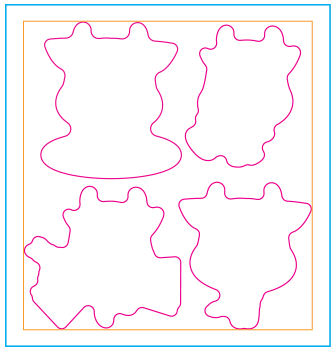

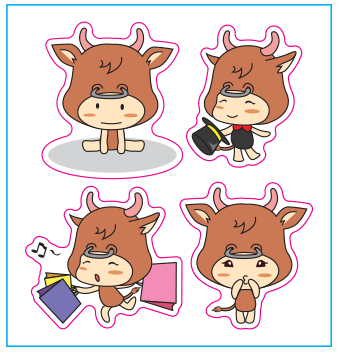

You can find more detailed guides on coating, finishing, and other options on the order page.
Go to Order Page →
Copyrightⓒ2009–2026 (C)FORPLI All Rights Reserved.